Changelog

Follow new updates and improvements to Fresh Projects.

Two-Way Budgeting is Here โ†”๏ธ

Whatโ€™s New:

  • A more natural way to budget: You can now schedule resources in the Project Planner and have those values feed directly into the budget section of your project page.

  • A two-way connection: Previously, budget values flowed one way, from the project budget into the Project Planner. Now it works in both directions, so your resource scheduling and your budget can grow together as you plan.

  • Work the way your project actually unfolds: If it makes sense to plan your team's time before locking in budget figures, you can now do exactly that, and everything stays in sync.

Why This Matters:

  • More flexibility in how you plan: Schedule your resources as part of building your budget, in whatever order suits your project.

  • No more double-handling: Your resource schedule carries through to your budget automatically, so you're not re-entering the same figures in two places.

This one isn't switched on by default, so when you're ready to give it a go, just get in touch and we'll get it set up for you ๐Ÿš€

Improved

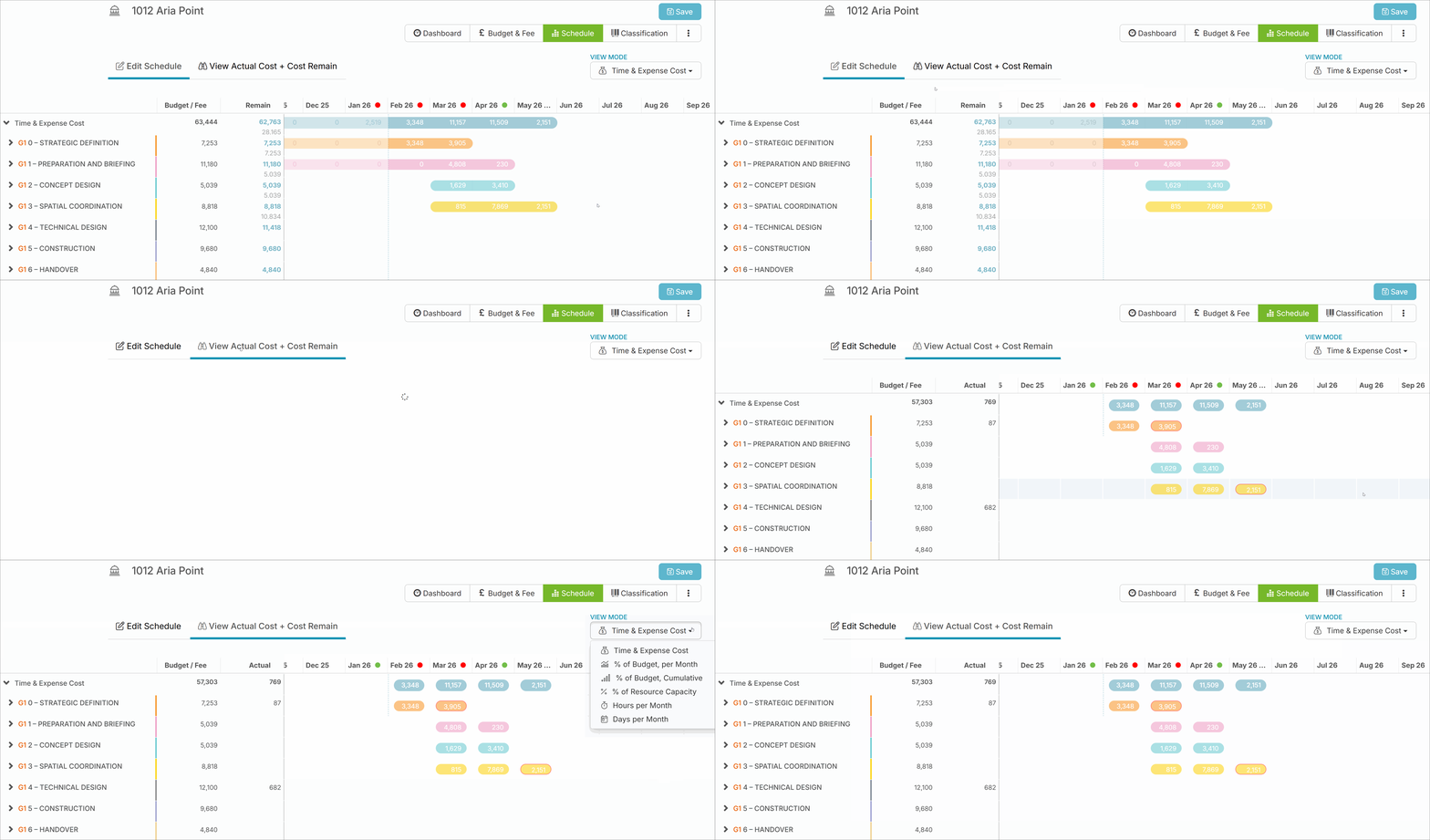
From Plan to Spend - All in One View ๐ŸŽฏ

Whatโ€™s New?

  • Planned Resources in Schedule: Planned resources from the Project Planner are now visible directly within the schedule view, giving you a clearer picture of how work is allocated.

  • Side-by-Side Cost Comparison: Easily compare planned costs with actual spend and see how much budget remains - all in one place.

  • Real-Time Budget Visibility: Get an instant overview of how your budget is tracking as your project progresses.

Why This Matters:

  • Smarter Invoicing Planning: Plan invoices more accurately based on projected costs and remaining budget.

  • Improved Financial Oversight: Monitor budget performance throughout the project lifecycle with greater confidence.

  • Less Manual Tracking: Reduce the need for separate calculations or reconciliations with everything aligned in one view.

Stay in control of your project finances with clearer visibility from plan to spend - in one seamless experience. ๐Ÿ’ผ

Improved

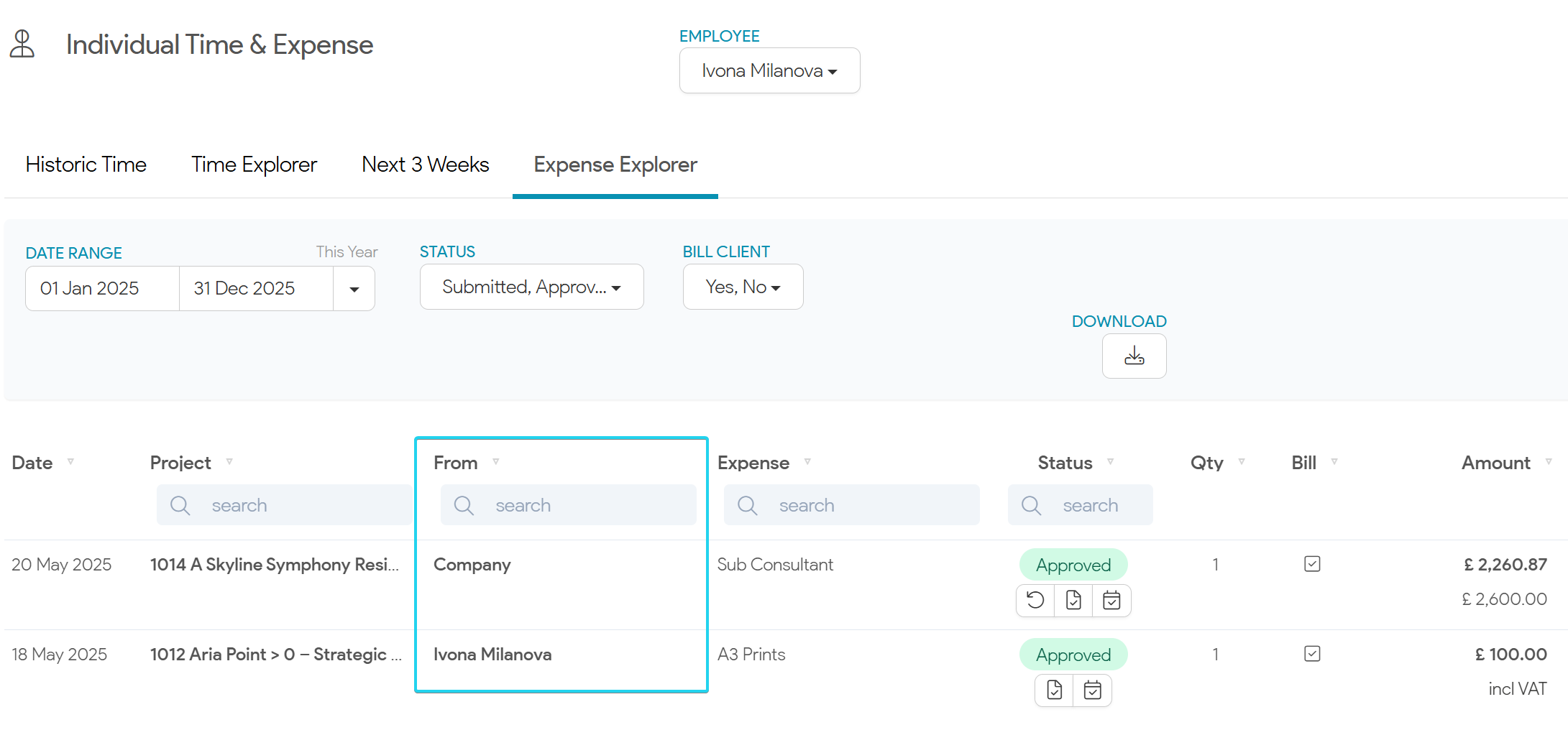
View Submitted Company Expenses ๐Ÿ’ณ

What's New?

  • Company Expense History: Staff members can now access a complete history of the company expenses they have submitted.

Why This Matters:

  • Transparency: Easily track and verify your submitted expenses, ensuring accuracy and accountability.

  • Convenience: No more searching through old emails or paperwork - everything is accessible in one place.

Please get in touch with us if you have any questions ๐Ÿš€

Improved

Earlier updates